The Prompt Engineering Project
Documentation
Quick Start
Three steps to your first prompt library execution.
Install the IO prompt library SDK and dependencies:
# Install the core package
npm install @io/prompt-library

# Install Notion integration
npm install @io/notion-connector

# Install the CLI
npm install -g @io/cli
Getting Started Guide
Follow these five steps to build your first prompt library from scratch.
1. Define Your Context Brief
Start by creating a Context Brief — a single-source-of-truth document that captures everything about your company: mission, values, target audience, tone of voice, and competitive positioning. This document powers every AI interaction and ensures consistent, on-brand output across all prompts.
2. Complete the Questionnaire
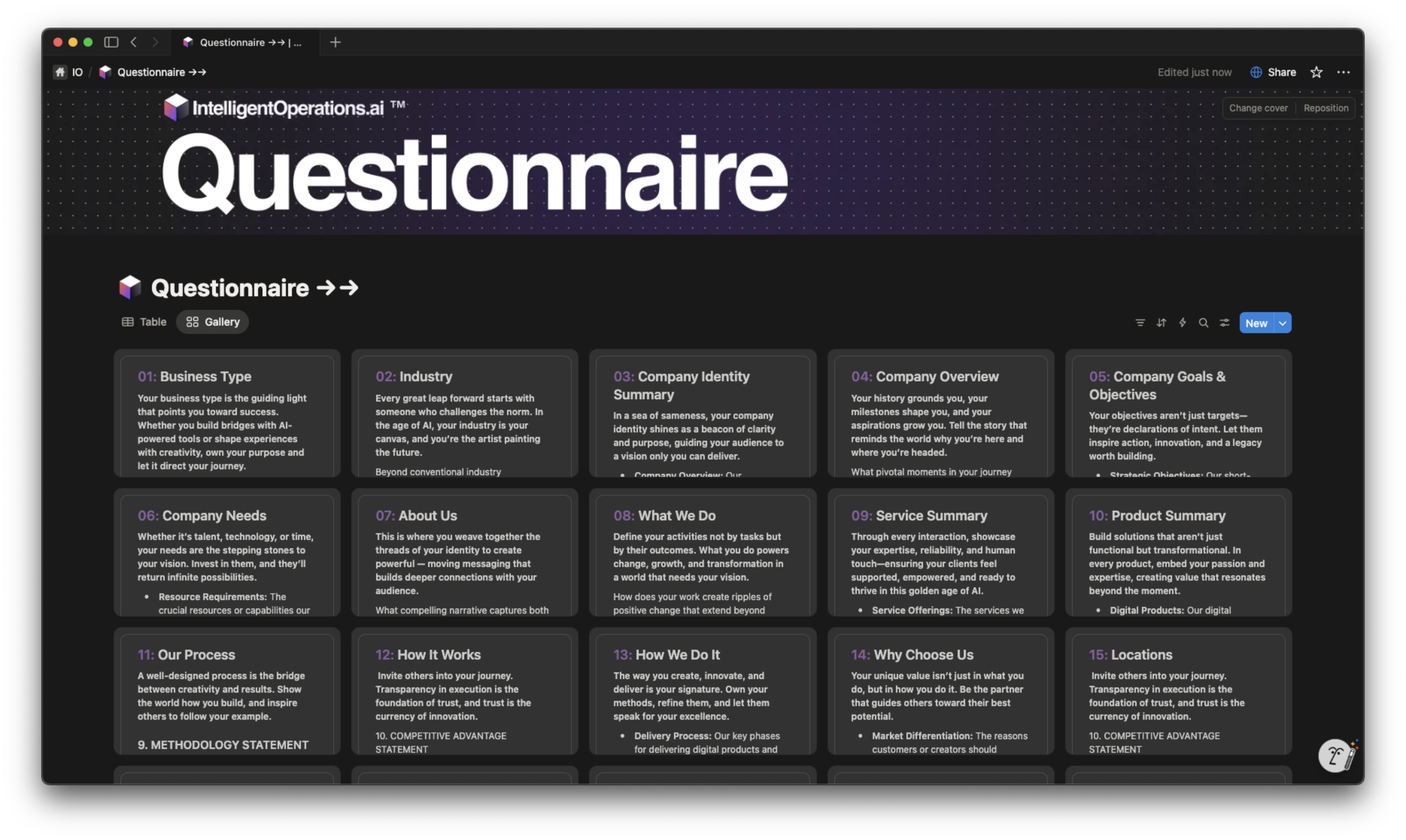
Walk through the guided questionnaire that extracts the critical information needed for your Context Brief. Each question is designed to surface insights that most brands overlook — from nuanced positioning statements to audience psychographics and brand personality traits.
3. Connect Your Notion Database
Link your Notion workspace and select the database where your Prompt Library lives. The connector automatically maps column prompts to database properties and configures AI Auto-Fill triggers for each field.
4. Configure Column Prompts
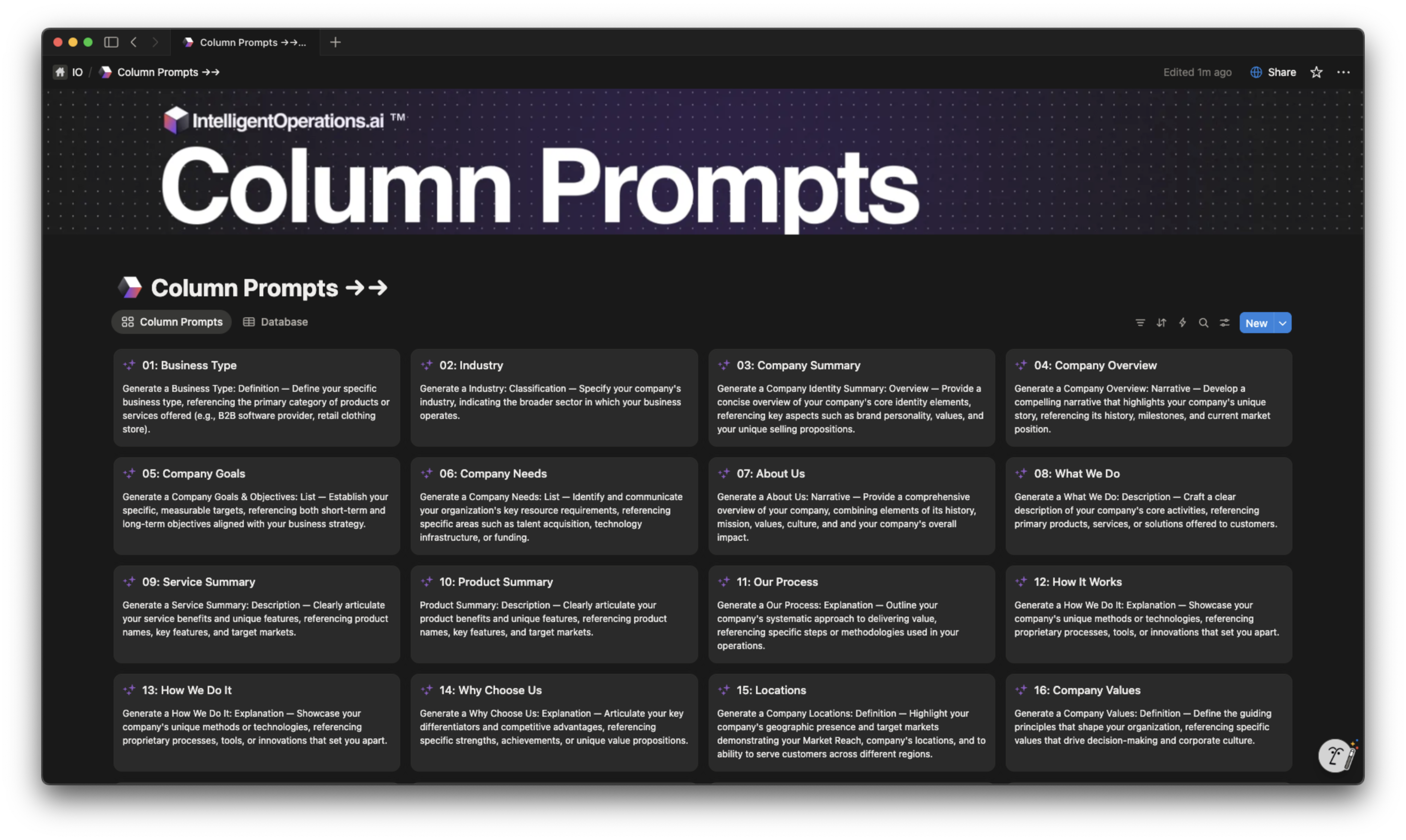
Each column in your Notion database gets its own structured prompt that references your Context Brief. With 23 column prompts for Company Identity alone, every piece of generated content is deeply contextualized and aligned with your brand strategy.
5. Execute Fan-Out, Fan-In
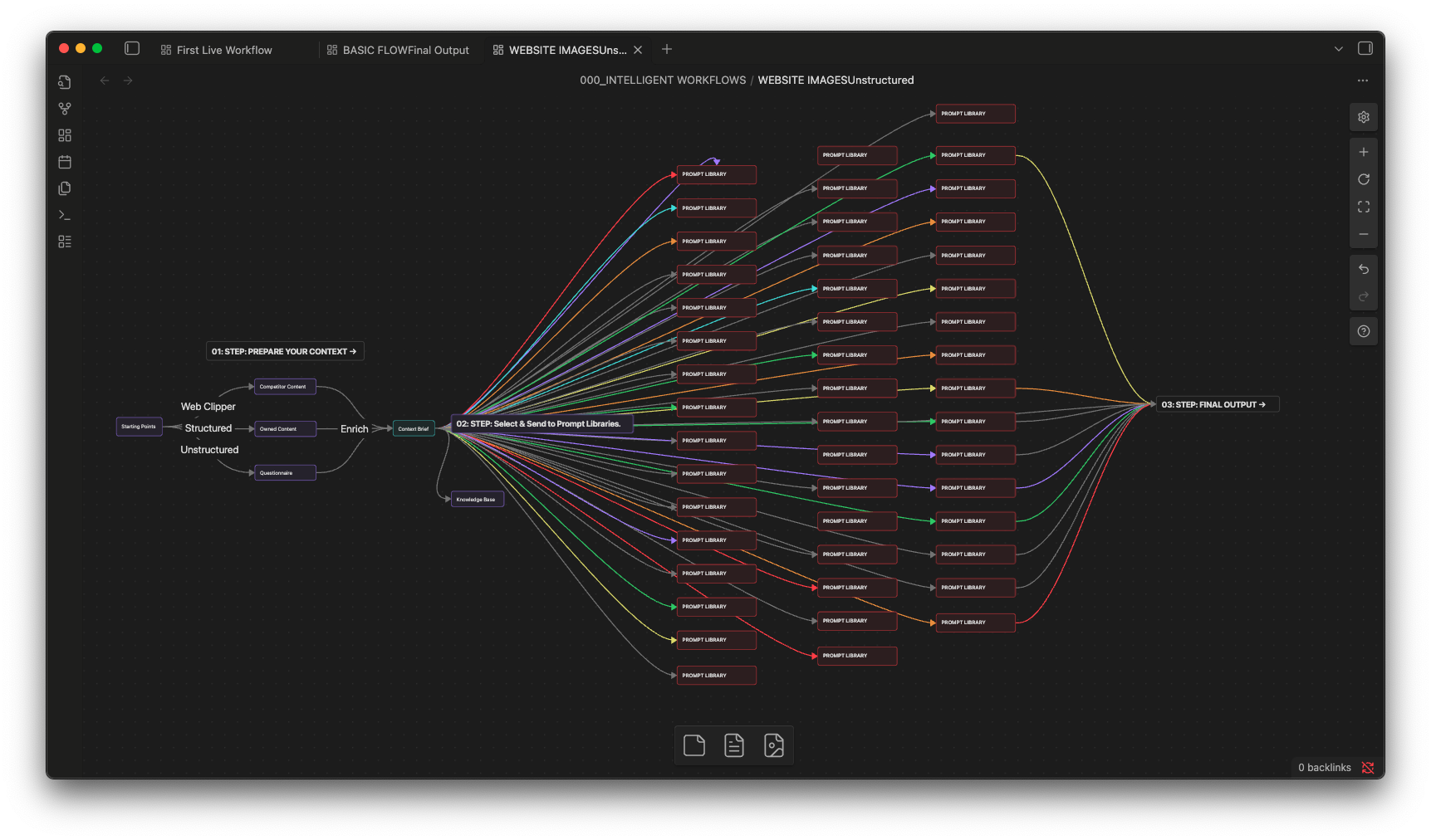
Trigger all column prompts simultaneously with a single action. The fan-out architecture fires 23 parallel prompts from one Context Brief, then fans results back into your structured database — transforming hours of manual work into seconds of automated generation.
API Reference
Four core APIs power the entire prompt engineering platform.
Context Brief API
The Context Brief API lets you programmatically create, read, update, and manage context briefs. Load briefs from Markdown files, sync with Notion pages, and validate completeness scores. Supports versioning so you can track how your brand context evolves over time.
Prompt Library API
Access and execute any prompt from your library via the API. Supports single execution, batch processing, and the full fan-out/fan-in parallel architecture. Each prompt automatically injects your Context Brief for maximum relevance and brand alignment.
Knowledge Base API
Query and update your Knowledge Base programmatically. The API supports semantic search across all entries, automatic categorization, and real-time sync with your Notion databases. Build living knowledge systems that grow smarter with every interaction.
Auto-Fill API
The Auto-Fill API powers Notion's Custom AI Auto-Fill integration. Configure triggers, map column prompts to database properties, and control execution order. Supports conditional logic so prompts can reference outputs from other columns in the same row.
Architecture Overview
Four layers power the prompt engineering platform.
Changelog from my journey
I've been working on Aceternity for the past 2 years. Here's a timeline of my journey.
Layer 1: Context
Layer 1: Context
The foundation layer. Context Briefs serve as the single source of truth — capturing company identity, audience insights, brand voice guidelines, and competitive positioning in a structured document that every downstream prompt references.
Layer 2: Prompts
Layer 2: Prompts
The execution layer. Structured column prompts live in Notion databases and are designed to generate specific outputs. Each prompt references the Context Brief and follows a consistent template: role, context injection, specific instruction, output format, and quality criteria.
Layer 3: Orchestration
Layer 3: Orchestration
The parallelization layer. Fan-out architecture fires all 23 column prompts simultaneously from a single Context Brief. Results fan back into the structured database, with dependency resolution ensuring prompts that reference other outputs execute in the correct order.
Layer 4: Knowledge
Layer 4: Knowledge
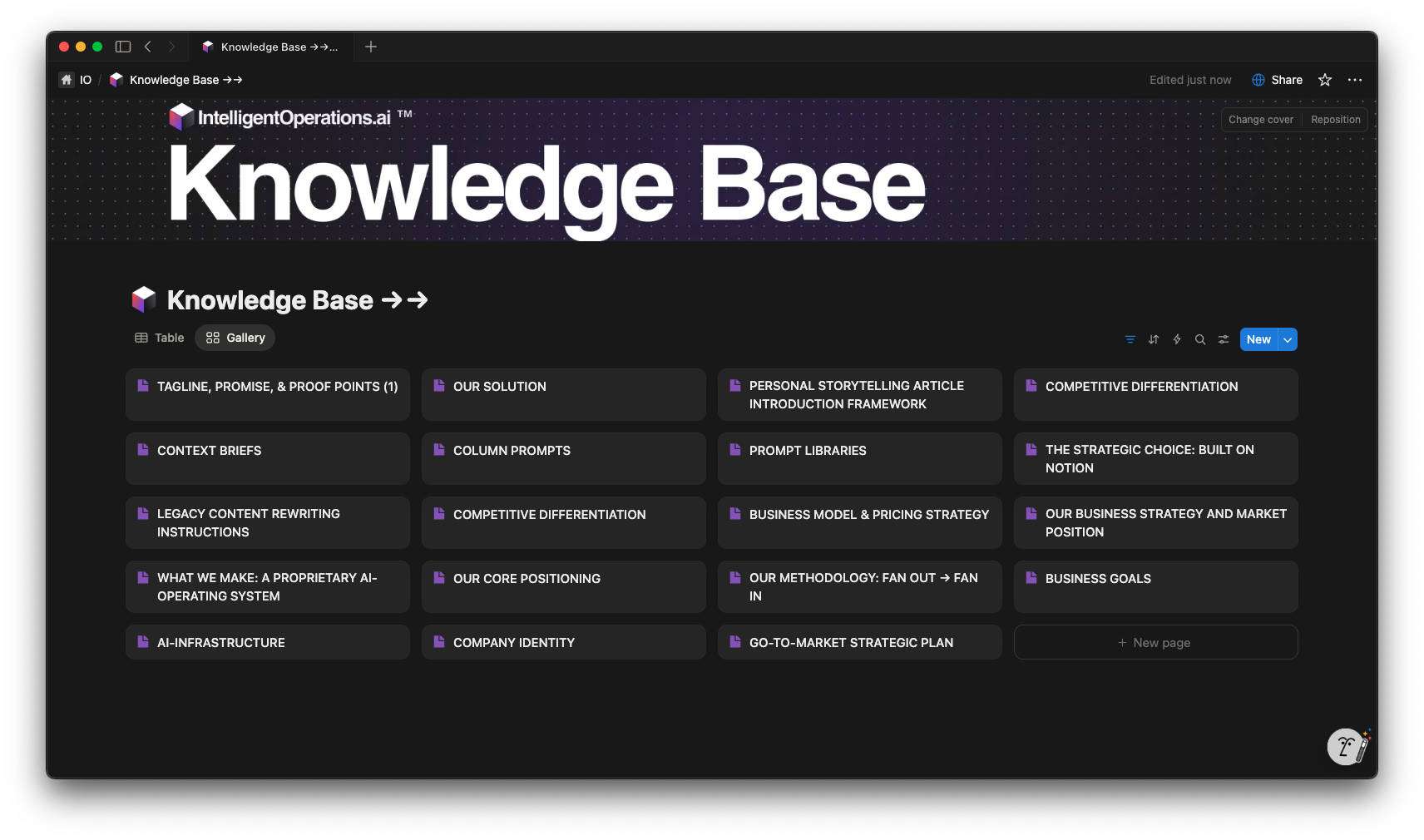
The intelligence layer. Generated outputs feed back into the Knowledge Base, creating a living system that grows smarter with every execution. Semantic indexing enables cross-referencing and retrieval, turning isolated outputs into interconnected business intelligence.
Component Documentation
Six core components make up the IO prompt engineering system.
Context Brief
The foundational document that captures your company's identity, audience, voice, and strategy. Every prompt references this single source of truth to ensure consistent, on-brand AI outputs.
Questionnaire
A guided intake form that extracts critical business information through targeted questions. Responses auto-populate your Context Brief with structured, prompt-ready data.
Prompt Library
A Notion database of structured prompts organized by category. Each prompt follows a consistent template with role, context injection, instruction, output format, and quality criteria.
Knowledge Base
A living repository of generated content and curated insights. Supports semantic search, automatic categorization, and real-time sync with your Notion workspace.
Column Prompts
Individual prompts mapped to specific Notion database columns. Designed for AI Auto-Fill, each column prompt generates targeted content for a single property in your database.
Chat Interface
Conversational access to your entire prompt library and knowledge base. Ask questions, generate content, or explore your brand context through natural language interaction.
Further Reading
The Company Identity Prompt Library is the flagship product of The Prompt Engineering Project. It contains 241 structured prompts across 23 column categories, all powered by a single Context Brief.
Understanding the Fan-Out, Fan-In Architecture is essential for scaling prompt execution. This pattern fires all column prompts in parallel, dramatically reducing the time from context to complete output.
The Knowledge Base System transforms individual prompt outputs into a living, searchable repository. As your library generates more content, the Knowledge Base becomes an increasingly powerful resource for future prompts and business decisions.
For hands-on examples, explore the Chat Interface Playground, where you can interact with a live prompt library using any model — from Claude to GPT to Gemini — all powered by the same structured context.
Start Building
Create your first prompt library today. From context brief to full execution in minutes.
The Prompt Engineering Project by Intelligent Operations